
Image, Video Verification Tools from a Recent OSINT Training
June 9, 2026

Last month, I attended an OSINT training at the University of Wisconsin for journalists, educators, students and others interested in verifying images and video.
The two-day session was taught by trainers from the UC Berkeley Human Rights Center: Guillén Torres, a specialist in action research, methodological experimentation, and data-driven technologies for justice and accountability; Gisella Pérez de Acha, an investigative reporter focused on extremism, disinformation, and environmental issues; and Tomás Dodds, Director of the Public Tech Media Lab at Wisconsin.
It was a fun and challenging session, and they shared some tools that were new to me, as well as longtime favorites like Google Earth Pro.
Here are some of those tools, which I’ve also added to the Journalist’s Toolbox Fact Checking and Verification page:
MetaOSINT
Select a task you need to perform and it will provide a visual list of tools to perform that task. It’s great reat for tracking down tools.
OSINT Navigator
The tool database from Craig Silverman is compiled from 17 independent OSINT toolkits maintained by established practitioners and organizations. A weekly crawler checks all sources, adds new tools, and flags deprecated ones. Each tool is enriched with structured documentation.
WeVerify Fake News Debunker
Download this image verification tool for your browser, then right click on the image and it will run the image through multiple reverse image tools.
Geonames
A geo database of places. Try alternative name spellings with it.
SnapInsta
Download photos, videos, reels, stories and profile information from Instagram
Query Forge
Helps you build better Google search queries
Geolocation
Pérez de Acha walked us through geolocation exercises. We spent a lot of time using Google Earth, Maps and Google Earth Pro to geolocate where an image was taken.
Example: Search this Lat-Long. (31.53271, 34.49815) of a bombed area Gaza in Google Earth Pro, then use the timeline tool (clock with a green arrow button at the top) to go back in time and see the area before it was bombed. You can download both images rights-free and put them in a Juxtapose slider to show before/after.
Some locations may be blurred in the Google tools, so here are some good alternatives:
Copernicus Browser
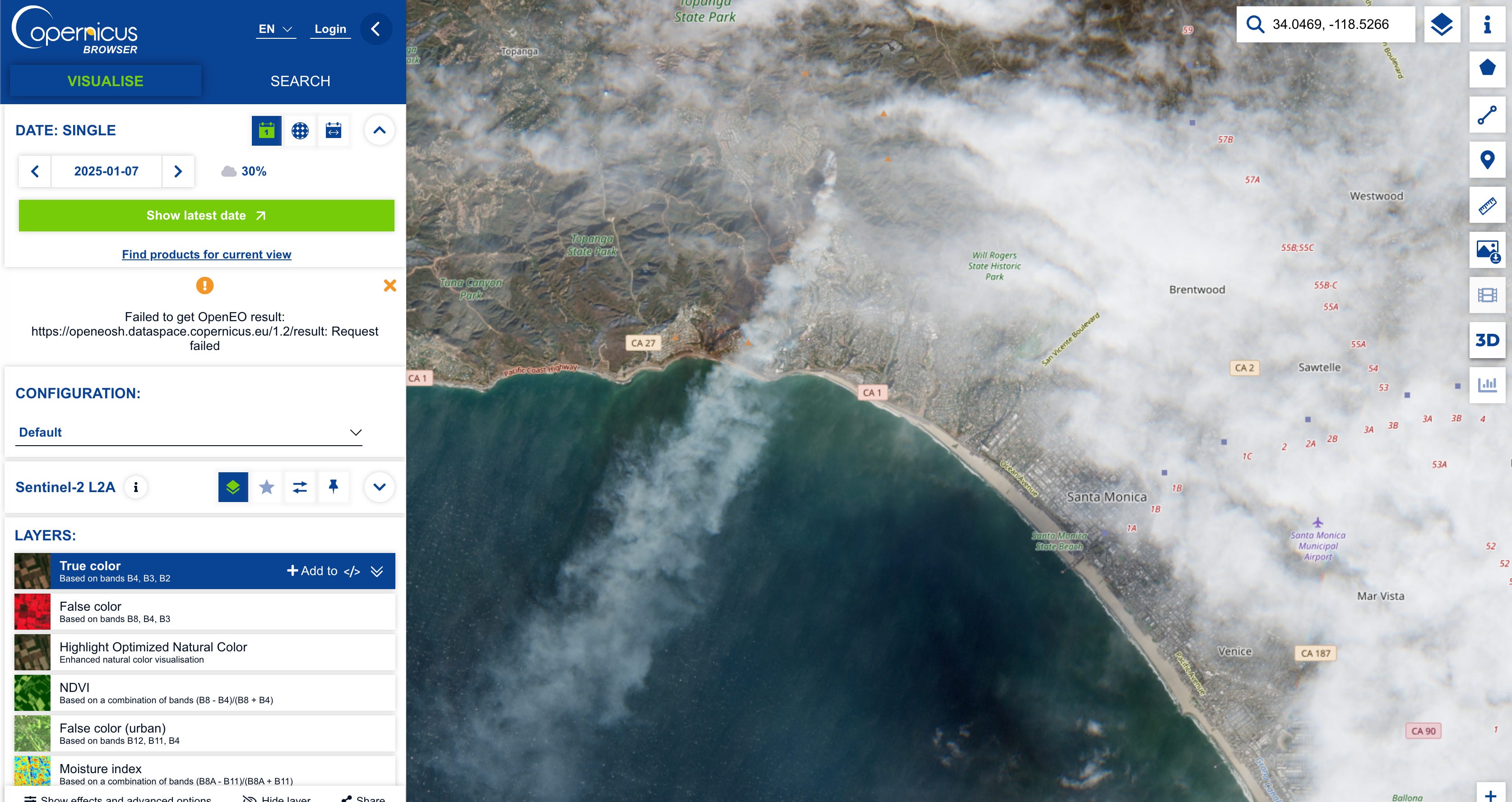
Search for satellite images (most low resolution). Example: Put a Lat-Long of 34.0469, -118.5266 into the search box on the right, and in date box under the visualize tab on the left, place this date: Jan. 7, 2025. You can see the smoke from Palisades Fire in California (image below). Be patient, the image download is slow. You also can add cool filter plug-ins such as “wildfire” to help see things better, or use the standard layers on the left tool panel.
Planet Labs (request in Lat-Long. only)
SynthID for Gemini Images
Google Gemini and Open AI now use embedded documentation in images built by those tools that help people know if it was built by those AI tools. It’s not a watermark, so you can’t see it. But you can load an image to Google Gemini and ask if it was built with the tool or ask if it has SynthID. Bingo, you have confirmation.
However, it only confirms that if it was built in that particular tool. The image could always have been built in another tool and Gemini won’t know if it was an AI image or not.
Search Operators
Torres talked about how AI is changing Google search, and soon search agents will replace search operators in narrowing searches. But in the meantime, try out the search operators in the example below to focus a search:
Search “Renewable energy policy” and you’ll get way too much information.
Then try: renewable energy policy Site:.gov
Then: renewable energy policy Site:.gov filetype:pdf
Then: “renewable energy policy” Site:.gov filetype:pdf after:2022 before:2024 -draft -presentation
The last search will give a narrower, focused result.
Here’s a slick promo video from Google on how the new search agents will work. You can read more about it here.
Brave Browser and Google Set-Up
In my last newsletter, I wrote about the Brave Browser’s privacy settings. The browser’s search feature, I learned at the seminar, was meh.
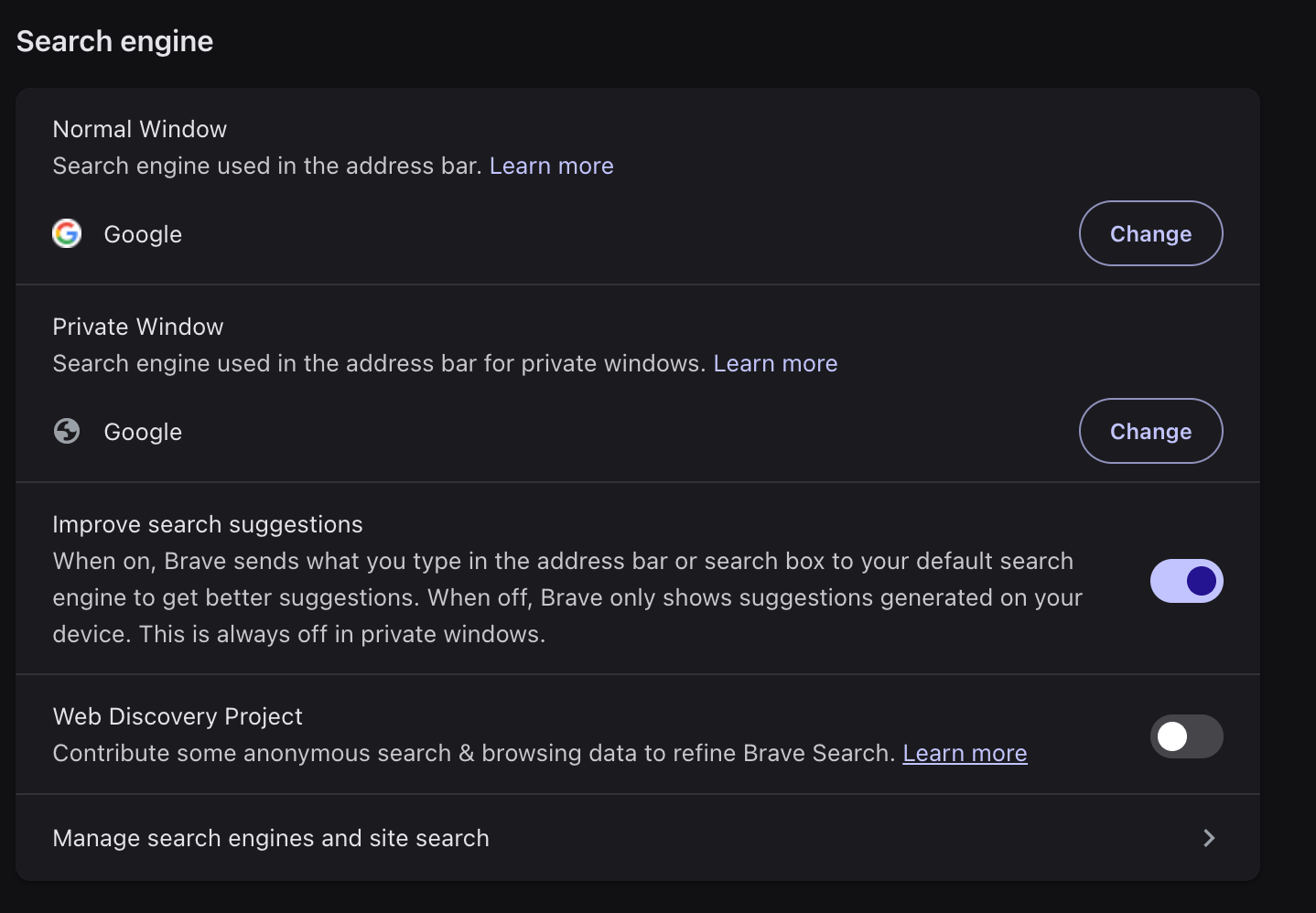
But there’s a hack: You can connect it to your Google search and still benefit from Brave’s privacy. Simply go to the Settings menu in the upper left, click on Search Engine on the left panel and select Google for the normal and private browser.
Future newsletters will feature some AI and data visualization exercises from this training session.
Sponsor

Be sure to check out the incredible production tools suite with our new sponsor at HeyNota.com
More OSINT and Fact-Checking Tools
OSINT Navigator
The tool database is compiled from 17 independent OSINT toolkits maintained by established practitioners and organizations. A weekly crawler checks all sources, adds new tools, and flags deprecated ones. Each tool is enriched with structured documentation.Indicator: 19 Free Tools You Can Use to Investigate a URL
YouStitch.it
Upload a video and capture frames to create a panorama imageFact Sentinel
Check claims from the page you are already reading. It shows verdicts, confidence, model agreement or disagreement, reasoning, and sources so you can inspect the evidence before sharing. Has a free tier or $5 monthly or a $29 one-time fee.Fact-Check Database
This tool from Henk van Ess lets you search through “debunked images from Reuters, Snopes, PolitiFact, AFP, BOOM Live, Lead Stories, Full Fact and more than 100 fact-checkers worldwide.” Via Craig Silverman from Indicator.media.
Textbooks
Data + Journalism, 2nd Edition
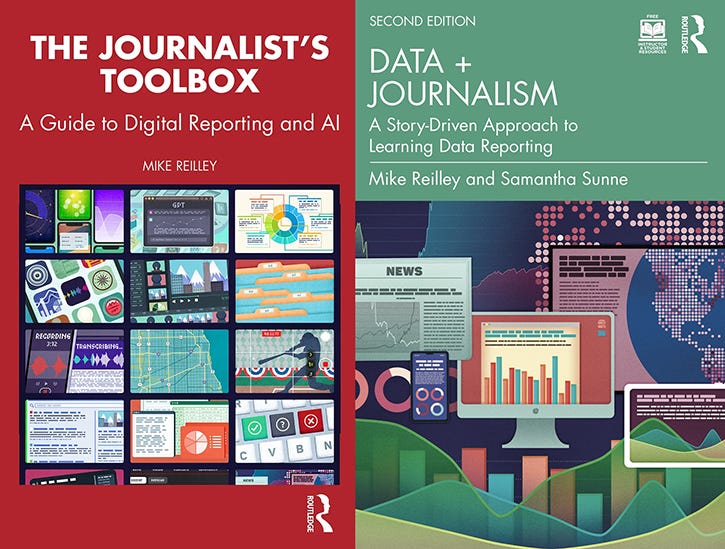
Samantha Sunne and I co-authored the 2nd Edition of the textbook, “Data + Journalism: A Story-Driven Approach to Learning Data Reporting” that will be available in August through Routledge and other booksellers (pre-order here). It’s an introductory- to intermediate-level guide to learning data storytelling from A to Z. The second edition features new tools, datasets, exercises and AI tools.
The Journalist’s Toolbox
My book, “The Journalist’s Toolbox A Guide to Digital Reporting and AI” was published by Routledge in 2023 and focuses on concepts and tools still used today. You can order it here.
In Quotes …
“Advances in AI are making it possible to develop insidious and highly dangerous attacks at low cost. Whether it's fake journalists, phony media outlets, or deepfakes, assaults on the credibility of the media are becoming increasingly apparent.” — Vincent Berthier, Reporters Without Borders, via the Washington Post
Follow me @itsmikereilley | @journtoolbox | Subscribe on YouTube | Subscribe to this newsletter
Copyright and Trademark 2026 | Mike Reilley